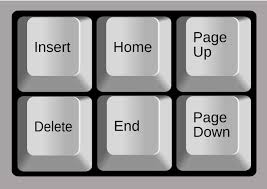
The Insert key in modern computing is primarily used to toggle between two text input modes: insert and overtype. In insert mode, new text is added without deleting existing content, while overtype mode replaces existing characters. Though less commonly used today, it can still be helpful in text editing tasks and certain legacy software.
What Are Some Hidden Features of the Insert Key?
- Toggle Overwrite Mode: Switches between insert and overwrite modes in many text editors, replacing characters as you type.
- Shift + Insert for Paste: Acts as an alternative to Ctrl + V in older programs and some Linux environments.
- Used as Modifier in Screen Readers: In tools like NVDA or JAWS, Insert serves as a modifier key for executing voice commands.
- Clipboard Access in Terminal: In some command-line interfaces, Shift + Insert pastes clipboard content, especially useful when right-click paste is disabled.
- Macro Trigger in Automation Tools: The Insert key can be used to launch scripts or macros in tools like AutoHotKey or PowerToys.
- Rebindable in Gaming and Software: Often customizable for actions in games or software where it has no default use.
- Legacy Software Shortcuts: In older programs like WordPerfect, Insert was part of complex key combos for formatting or editing.
What Is the Primary Functions of the Insert Key?
- The functions of Insert Key – Switches Modes: Toggles between Insert and Overwrite modes while typing.
- Insert Mode (Default): New text is placed without deleting existing content.
- Overwrite Mode: Each typed character replaces one that’s already there.
- Used in Text Editing: Helpful for editing code or correcting documents.
- Sometimes Disabled: Modern software may not support or respond to it.
- Less Common Today: Its use has declined with newer input methods and interfaces.
Why Is the Insert Key Missing on Some Modern Laptops?
- Space Constraints: Laptops prioritize compact design, often omitting less-used keys.
- Low User Demand: Most users rarely use the Insert key, making it expendable.
- Redundancy: Modern software rarely requires Overwrite mode, the main purpose of Insert.
- Keyboard Simplification: Manufacturers simplify layouts to improve user experience.
- Alternative Shortcuts: Insert functions can be replaced with keyboard shortcuts (like Fn + other keys).
- Focus on Touch & UI: Emphasis on touchscreen input and rich user interfaces reduces dependence on traditional keys.